Tuesday, February 27, 2024

Social Media List and Plan

Permit me to employ a time-honored aphorism: "Less is more."

This has been my philosophy regarding social media in all forms since I was an 8th grader, which made me the odd one out then and makes me still one today. For while I use Facebook to keep up with friends, and X (formerly Twitter) as medium mainly to advertise my book, I do not use and barely ever visit Instagram and Pinterest, and have never even visited TikTok. I do confess to using Reddit on occasion, but even that is rare. So, just so we understand each other, I am coming at making a social media list and plan regarding how I would most likely use social media to promote my library from a different place than most of my generation and may end up stretching the definition of what qualifies as social media; pushing the envelope, as it were. What can I say? I have always preferred reading books to social media.

Social Media List:

Reddit: Fortunately there are sub-reddits for just about anything literature relation. From Fantasy (my personal favorite) to one purely for suggesting and getting suggestions about books of any genre. When one needs to research a book before committing to or starting it, reddit will typically have all and sundry giving their often surprisingly well-thought-out takes on the book.

LibraryThing: A vibrant chat room to discuss any book or genre, a way to find (and get free!) newly published books, a means to organize your own digital bookshelf and review other books. I have the site for all these things.

X/Twitter's #writerslift: Go to Twitter and click the hashtag #writerslift and you will find a thousand and one posts asking authors to share their books, blogs, and whatnot in each of those post's individual threads. And authors respond with a vengeance, so if you are seeking something new that plus the hashtags #authorsoftwitter #writer and #writingcommunity will get you more recommendations than you know what to do with.

Stars Uncounted - Ian's Fantasy Bookshelf: Yes, you read that right. This is the definition of self-serving, but my other admittedly less yet still mostly humble blog would be, I think, a good and useful website for a librarians and young literati to use. It is genre-specific to Fantasy of course, but is popular enough that I get book review requests from budding authors at least one of whom has made a name for themselves. I told you I would push the envelope.

Facebook: If one cannot get good book recommendations from your friends, then there are countless Facebook groups about every literary/library related topics one can imagine. From author-fan pages to general groups for book lovers, it is a quintessential book-related social media experience.

Youtube: Book trailers both official and fan-made, book reviews, book summaries, fan theories about plots of as yet unfinished books series, even vocalists who perform songs written by authors. I found the Fantasy author Mercedes Lackey by coming across music written by her about her characters/books. Youtube has basically everything video and musical that relates to books.

Instagram: Many authors these days (not including me) are using Instagram as means to reach potential readers and with a considerable degree of success, therefore having students use this very social media site for literary purposes (such as interacting with authors, perhaps) would by an excellent and innovative move.

Social Media Plan:

Frankly I do not see using social media to promote a middle school library at all in the near future since social media has a habit of making things go out of control or down roads one would rather avoid. That said, I could see seeking permission to create a special blog (called Students Unleashed, perhaps) for students to post likely anonymous book reviews. It would be a useful tool for students seeking book recommendations and be a way for them to interact with the library more. Also, it would give teachers and parents alike a change to see what books their children and their children's classmates are reading, plus give the students a writing opportunity which I imagine many ELA teachers would capitalize on, thus furthering cooperation between the classroom teachers and the school librarian(s).

Monday, February 12, 2024

Adaptive and Assistive Technology

In Janet Hopkins' article School Library Accessibility: The Role of Assistive Technology (Hopkins, Janet. “School Library Accessibility: The Role of Assistive Technology.” Teacher Librarian, 31:3, February, 2004.) she offers ten ideas to aid Library Teachers in making their own school libraries more accessible to students with disabilities. To save blog space, I have included these in the adjacent image instead of copy-&-pasting them all.

What are my thoughts on them? To start, I think ideas 1, 2, and 6 are excellent and highly advisable. I think 3 is too general, as "barriers to learning" can be and mean anything to any number of people depending on the issues that impact. Some students simply have learning differences or are so far behind academically as to amount to accessibility problems, yet no assistive technology is required. For example, there are some students in the 6th Grade school I work at whose reading level is at 2nd grade. You would never know it speaking to them (or at least I did not), and assistive technology in the traditional sense of the term is little help because what they need are simply books at their level. Beyond that, I think idea 8 is good provided the need is great enough, yet the the rest of the ideas I deem as more aspirational than practical.

Which brings up a key point, for one notices that Hopkins' article is a decade old. Much has changed these last ten years, little more so – and so drastically – as technology. Now every student has a smartphone and many schools, including my own, provided chromebook laptops to the students. Not quite the same as in 2004 (when I was in elementary school). Hence I think the article shows it age a bit since these days students can get audio and basically any other type of book or reading aid swiftly, and in fact are often provided them by the school in advance, possibly before the Library Teacher is even aware of students individual needs, such as in the school I work at. In short, the 10 ideas sound pre-Digital Age, and also pre the days when a hyper focus is given to maximize accessibility. Still and again, as a general matter the ideas are worth considering and 1, 2, and 6 absolutely worth doing. By the way, everything I mentioned about what current schools do is also what my school does, and on the subject of idea 1, special educators have always come to the library first to alert us of special needs we should be aware of; though at the same time this rarely occurs since the special educators begin each year fully prepared and the role my supervisor have played in such matters has thus far been vanishingly small.

Monday, February 5, 2024

Multimedia - Book trailers

Studies indicate that people are more likely to read – or at least seriously consider and likely buy – a book when they have seen and enjoyed a book trailer of it. Which means, if a librarian is going to dabble in multimedia, that the ability to make engaging book trailers would be a useful skill to have in the ongoing to quest to make readers out of students. Hence here are two that I made, the first for my own book (though there is a reason why I later paid professionals to make a better one), and the second for Graceling by Kristin Cashore, one of my favorite Fantasies. By the way, I also made the music for the Graceling trailer myself.


Tuesday, January 30, 2024

Library Apps

I shall state right up front that I am not a big App user. Call me a traditionalist if you like, but the less libraries tie books with technology the better; to this day I do not own a Kindle. That said, I  do know when to bow to necessity and know that Apps can be beyond useful to teachers and libraries, so here is a selection of them.

Book Retriever: Lacking the computer system of a library, this App provides teachers with a means to check-in and check-out books as well as due dates and number of copies out and currently available. It is, in short, a way to make a classroom library function like a real one.

Library of Congress: A site that, to use its own words, consists of several interactive projects. Hence the site contains not one but many excellent primary sources – often complete with an attached lesson – covering a broad span of historical eras.

Booksource Classroom: Similar to Book Retriever, this App offers more on the analytical and organization front, allows for Diversity Audits and even selling books themselves.

Book Wizard: Perfect for teachers trying to build a classroom library, this App helps you build your own collection based on imputed reading-level, age-range, and interest.

Libib: Also providing teachers with a means to check-in and check-out books as well as general organization, this App adds movies, music and even video games, allowing one to create a truly mixed media collection. 

BookBuddy Pro: A potent book management App that, in addition to keeping track of check-ins-and-outs, lets teachers organizes books by curriculum and even Professional Development.

Goodreads: One hardly needs me to introduce Goodreads, but it serves as an excellent Court of Public Opinion for books of all kinds. Beyond that, students and teachers alike can use it to post book reviews and keep track of their reading.

Bookshare: A digital library which caters to the needs of people with dyslexia, blindness, cerebral palsy, and other reading barriers.

Digital Public Library of America (DPLA): I would recommend this site for all the same reasons as the Library of Congress, but what makes the DPLA stand out is its vast selection of truly digital primary sources. Furthermore, provides free e-books versions of banned books via its Banned Book Club.

Tuesday, January 23, 2024

Organizational Tools

“I consider that a man's brain originally is like a little empty attic, and you have to stock it with such furniture as you choose...Now the skillful workman is very careful indeed as to what he takes into his brain-attic. He will have nothing but the tools which may help him in doing his work, but of these he has a large assortment, and all in the most perfect order.” ― Sherlock Holmes

The best organizational tools are, aside from a well organized mind, simple ones that take little time and thought to use. I consider myself adept enough at tech and organization, but try to limit myself.

Microsoft Sticky Notes: This has saved my skin any number of times. Need to remember something? Write a quick reminder note on a digital sticky note that pastes itself to your desktop. I use this the way many would use Evernote or similar programs.

Google Drive: An excellent way to keep consistently up-to-date documents and other resources across multiple computers. The Admin at the school I work at uses it religiously to share resources, news and whatnot with the rest of the staff.

Blogger: This blog itself is proof that blogger is an excellent tool for keeping records, thoughts, and lists long-term in a stylish fashion.

WordPress: A website host that has justly earned its reputation for quality, with it you can make solid, sophisticated websites to suit whatever purpose you desire. I typically use it when I want something more formal, more professional looking than a blog. For example, I build my official author website – Seas Uncharted – using WordPress.

Why is this list short? Because I am a minimalist and prefer to organize my life using a few simple yet highly effective tools. I completely understand why some opt to employ tools like as Evernote, but I prefer to organize such things in various folders on Google Drive or jot down quick notes using Microsoft Sticky Notes. We all have our own styles, and mine is keeping my organized life simple by using a few simple tools to organize. As said the great Sherlock Holmes:

"Things must be done decently and in order."

"To the logician all things should be seen exactly as they are, and to underestimate oneself is as much a departure from truth as to exaggerate one’s own powers."

"To a great mind, nothing is little."

Tuesday, January 16, 2024

10 things teachers should know about technology

10 things teachers should know about technology? Only ten? One could, and countless have, written entire books on the role technology plays in education for both students and teachers. Therefore my listed ten shall be the things I have found it best to know about technology and student's relationship with it.

1. Students are digital natives. Gone are the days when kids come to school and learn about computers in the School Library's Computer Lab. Now they have school-issued chromebooks/laptops and I have seen them find ways to play games on them the school has supposedly blocked. They can often as not Google search like pros and know the ins and outs of their Smartphones better than most adults. Never underestimate a student's digital know-how, in part because many hope you will and use it to their advantage.

2. Wikipedia is officially less trustworthy but in reality almost if not a great deal better than real Encyclopedias. For years teachers have warned students away from Wiki like doctors do the Plague, however, having been a semi-official Wiki editor and article-writer for the Harvard Museum of Comparative Zoology, I can say that, now, the site is inherently trustworthy. Why? Because contrary to popular belief, while it is true that anyone can write and edit articles, all contributions had better be well-written and properly cited if you want it to stick around. The academic standards are topnotch and constantly monitored for dis or misinformation.

3. AI, for better or worse (and likely plenty of both), is here to stay. Instead of fearing and avoiding it, teachers should learn how to use it to their advantage. Making or brainstorming lesson plans, for example.

4. Every AI program, even the seemingly semi-sentient ChatGPT, has its strengths and weaknesses. Learn them by challenging them to do the very things you fear students doing so you can learn how urgent the fear is. I tried it with writing and, believe me, no AI written novel would make it past even a sub-standard literary agent.

5. Students live double lives. Not in the villain or superhero sense, but online, chatting with friends and acquiescence about any topic under the sun. Last year my students created a group chat dedicated to solving a beyond hard riddle I gave them. All the concerns about cyber-bullying still exist, only now in a world of digital natives.

6. Students do not come with to the School Librarian with research or technological questions much anymore, since they are digital natives and ask the research questions of the teachers who assign the research projects; and, given student laptops, that research can now be conducted in the classroom.

7. Remind students to backup their work beyond the Cloud. Google Docs and other such things are excellent, but individual documents/files can get corrupted suddenly and for no reason. Therefore students should create multiple copies by sending drafts to their email.

8. Utilizing technology can enhance student engagement. Teachers should explore interactive tools, multimedia resources, and collaborative platforms to make lessons more dynamic and interesting. Better yet, give the students freedom to use technology as they see fit within academic guidelines, and their skill and creativity will shin through.

9. If you see a student using an obviously harmless program/app, ask them what it is, not as a teacher but as a curious person. One can learn a lot this way and, in addition, learning how students think and what programs are trendy can be useful in its own right.

10. Technology is rapidly evolving. You do not need me to tell you this seeing as AI has jumped into the game before most realized it was a serious player, but it does illustrate the point that teachers should keep themselves informed of and open to learning about new, emerging technologies. Because if we do not then our students will first, and then where would we be?

Yes, I know I did not mention such classics as Digital Literacy, Online Safety, and Professional Development. You do not need me to. The above, however, are things I feel are often ignored and have proven quite useful to me personally.

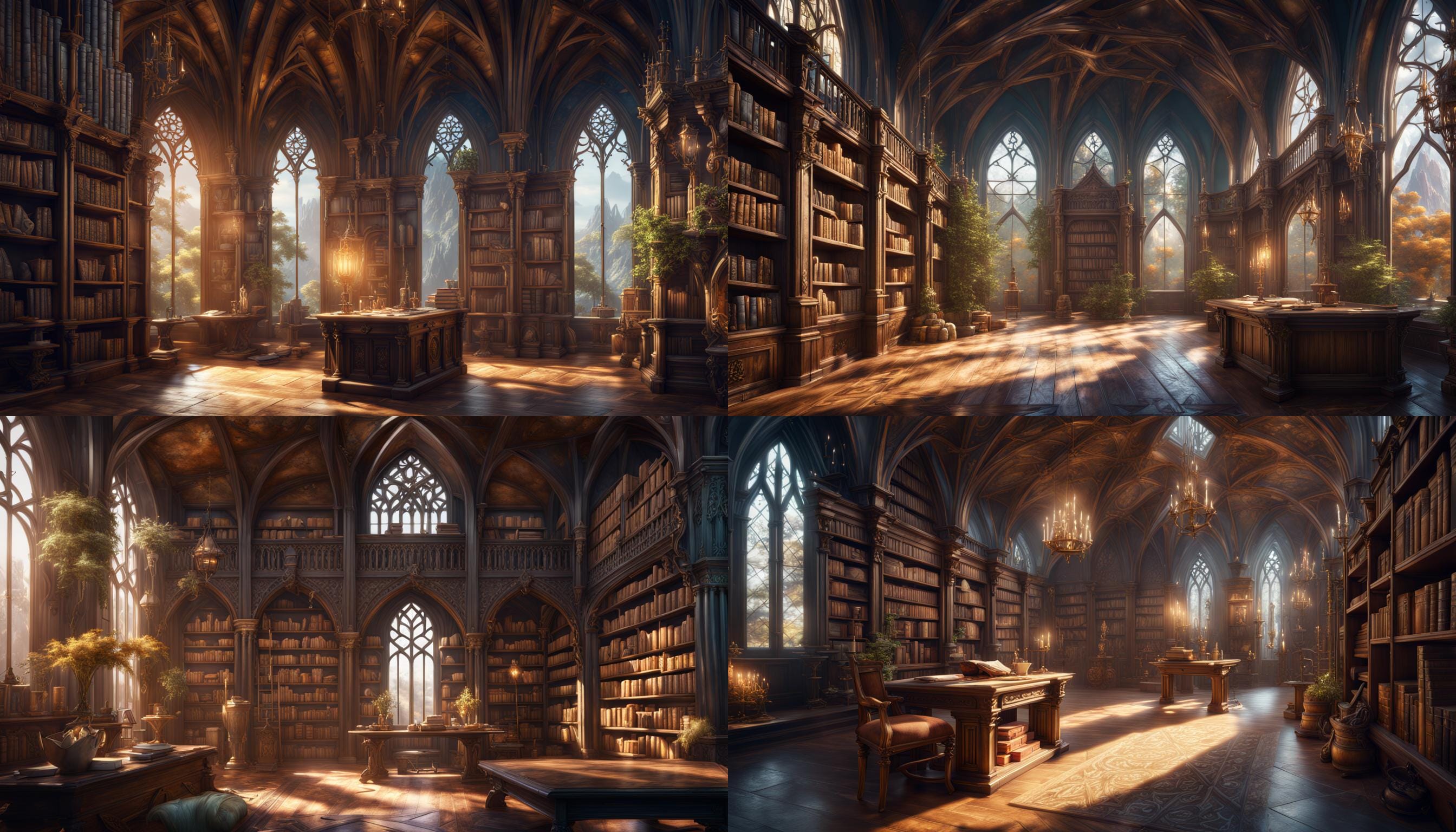
Background AI image

The image for this Shelves Unfettered blog which you can see in the background and below was made using the AI image program Nightcafe using the Creation Settings I have copy-&-pasted below the images.
 

Creation Settings


Text Prompts
"Sunny Elvish's library"

Weight:1   Save
"detailed matte painting, deep color, fantastical, intricate detail, splash screen, complementary colors, fantasy concept art, 8k resolution trending on Artstation Unreal Engine 5"

Weight:1   Save


Initial Resolution
Medium
 

Runtime
Long

Overall Prompt Weight
50%


Refiner Weight
50%


Sampling method

K_DPMPP_2M
CLIP Guidance

NONE